Features
Everything to draw a comic, from pencils to print
A complete studio, made for pen tablets and mice, that works offline and keeps your pages in files that belong to you.
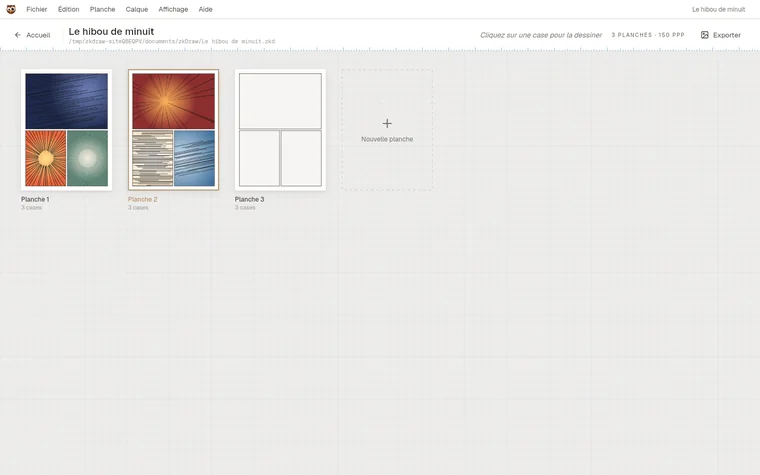
Pages and panels
The whole album at a glance
Each page shows its drawn panels; click a panel to open it in the studio, go back and it is saved.
- Nine ready-made layouts, or a grid of your own.
- Page editor: move a border, cut a panel diagonally, draw a panel by hand.
- Franco-Belgian album, A4, A5, B5 manga, US comic, square or custom formats, portrait or landscape.
- Cover, bleed, page numbers and left-to-right or manga reading order.
The studio
A sheet, and the tools around it
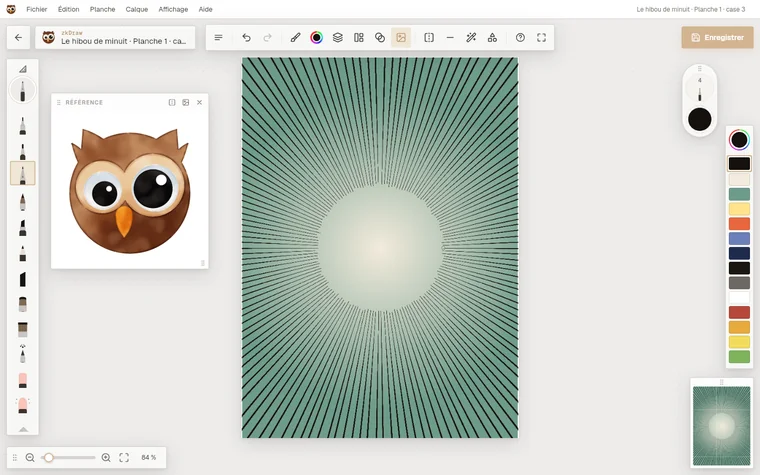
The sheet fills the screen; the tools sit at the edges and disappear with one key.
- Pen pressure, stroke stabiliser and pen-only mode.
- Radial quick menu on right click or long press: undo, eyedropper, eraser, last brushes.
- Live page preview, onion skin of the previous panel, reference picture.
- Rectangle or lasso selection, paint bucket, gradient, shapes, rulers and symmetry.
Brushes
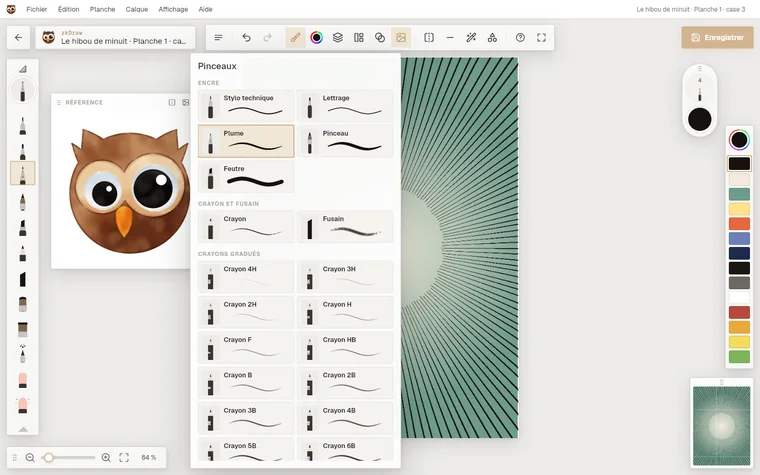
81 brushes, sorted by family
The same brushes as zkDraw on the web, rebuilt in a drawing engine written in Rust.
- Ink: technical pen, lettering, nib, brush, felt pen.
- Graded pencils from 4H to 8B, charcoal, chalk, watercolour, gouache, airbrush, knife.
- Size, opacity and stabiliser set and remembered for each brush.
Layers
Pencils, inks, tones, colours
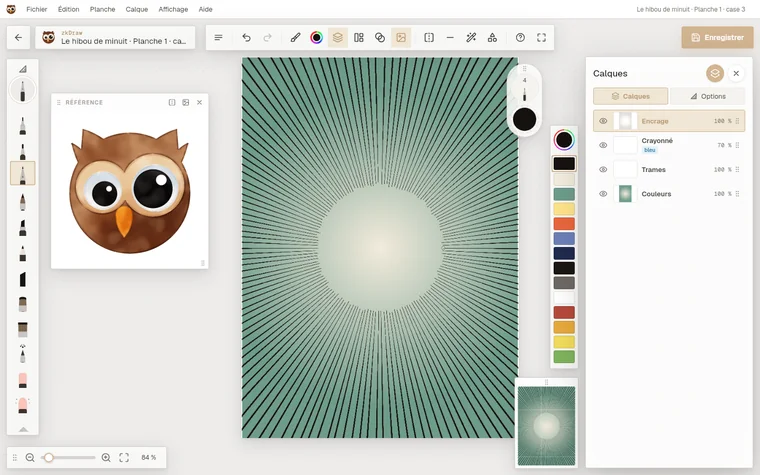
Each panel opens with layers ready for comics, and you add as many as you need.
- A non-photo blue pencil layer that stays out of exports.
- Groups, clipping masks, alpha lock and blend modes.
- Comic tones: dots, lines, crosshatch, grain and more patterns.
Effects
Focus and speed in one gesture
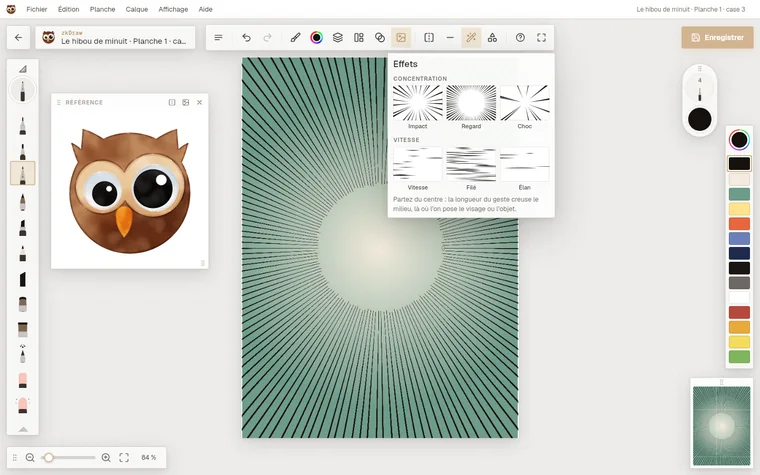
The lines that make an action panel read, impossible to draw cleanly by hand.
- Focus: start from the centre; the gesture's length leaves the middle clear and the lines run to the edge.
- Speed: the gesture sets the direction, the lines cross the panel.
- Six presets (Impact, Stare, Shock, Speed, Blur, Rush), then line count and irregularity.
Free drawing
Not a comic? A sheet made to measure
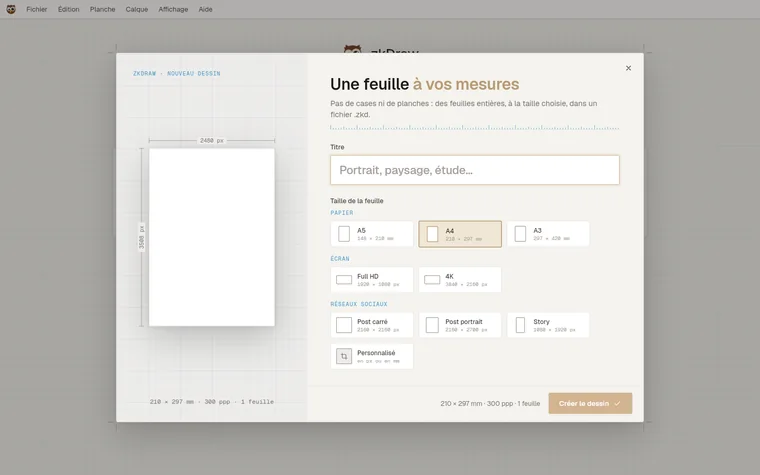
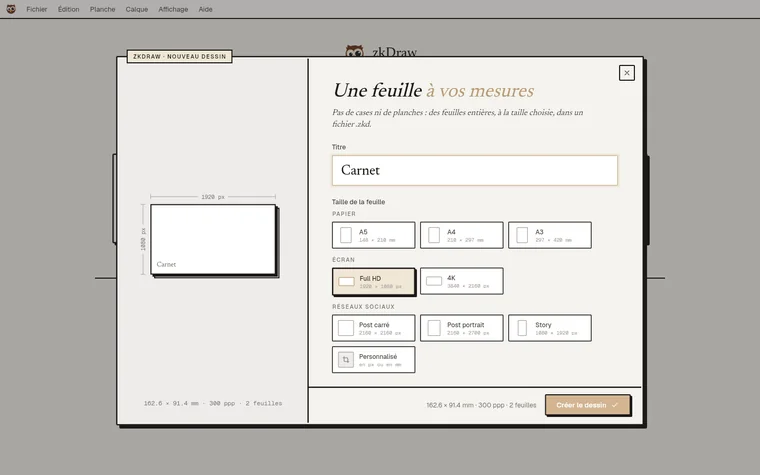
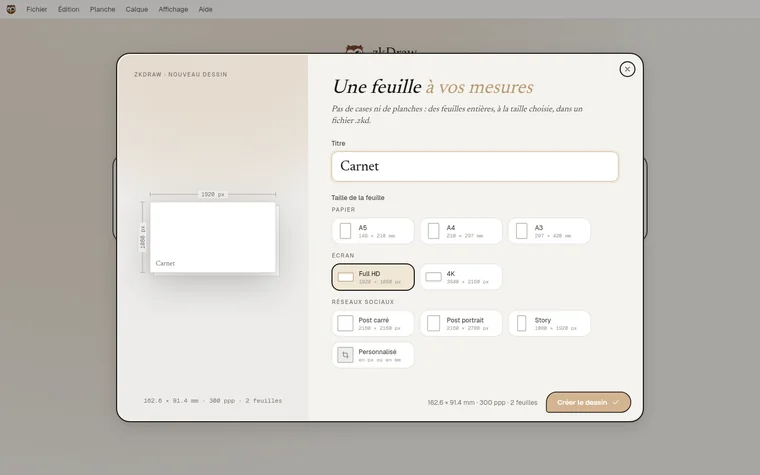
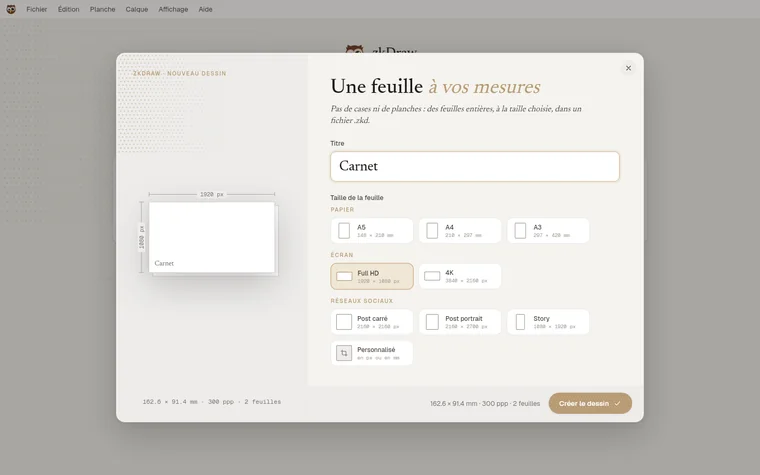
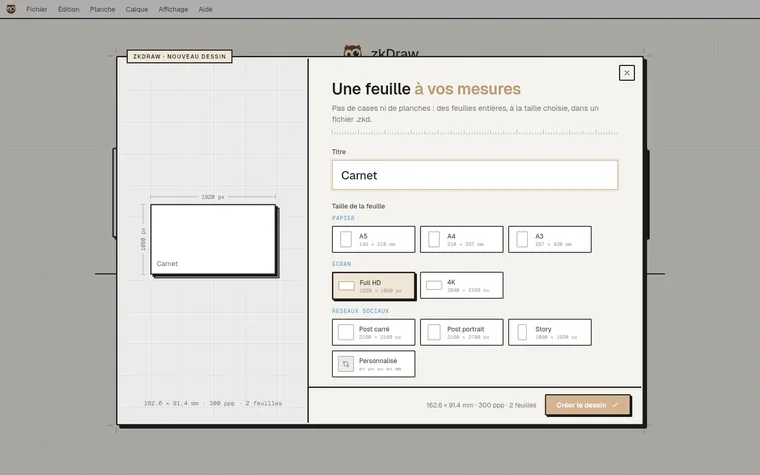
Illustration, study, poster or post: whole sheets, with no panels and no margins.
- Paper from A5 to A3, Full HD and 4K screens, social media formats, or a size in pixels and millimetres.
- One or several sheets in the same project, each drawn whole.
- A quick sketch becomes a project with a simple Ctrl+S.
Export
From screen to printer
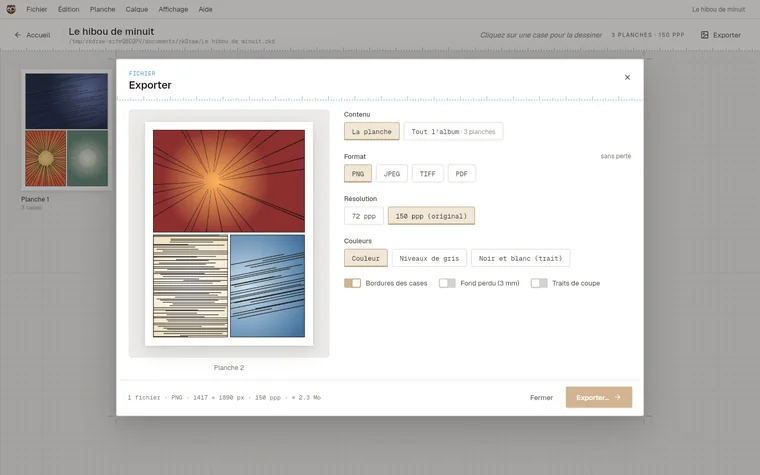
Export a panel, a page or the whole album, with a page-by-page preview before the file is written.
- PNG, JPEG, TIFF, layered PSD, PDF and CBZ.
- Colour, greyscale or black-and-white line art; original or reduced resolution.
- Panel borders, bleed and crop marks for print.
Styles
The studio, your way
Six window styles, seven accent colours, a dark mode and a choice of hover effects.
And also
-
Balloons and text
Speech, thought and shout balloons, text and comic fonts, and your own handwriting turned into a font.
-
Quick menu
Right click, pen button or long press: a ring with the most frequent actions.
-
Reference
A picture in a floating window you can move, resize or flip.
-
Templates
Street in perspective, room, landscape, one- or two-point perspective, isometric, face, figure.
-
Onion skin
The previous panel shown see-through, to carry a movement on.
-
Page preview
The whole page in a window you can move and zoom, updated stroke by stroke.
-
Symmetry and rulers
Mirror and rosette, straight and ellipse rulers the stroke follows exactly.
-
Left- or right-handed
The tools move to the other side; pen-only mode ignores fingers.
-
Autosave
Every 1, 5 or 10 minutes, and a check before quitting.
-
Five languages
English, French, German, Spanish and Italian, switched without restarting.
In the works
What comes next
-
Online backup
Your projects synced with zkdraw.com, with their versions: 1 GB included with a subscription, files encrypted in Switzerland. Google Drive and Dropbox are connected directly by the app.
-
Tablets
zkDraw on iPad and Android, with the same .zkd file.